The 2nd method - REST API client
Overview
- This is the second way of communication:
- The standard REST API calls of application domain services using HTTP methods
- Each backend service has REST API endpoints
- REST API is defined by OPEN API specification
- Supported by 3rd-party tools like AutoRest, NSwag, editor.swagger.io etc
- The most common endpoints supported by .NET connectors of platform services using nuget packages
- REST API is defined by OPEN API specification
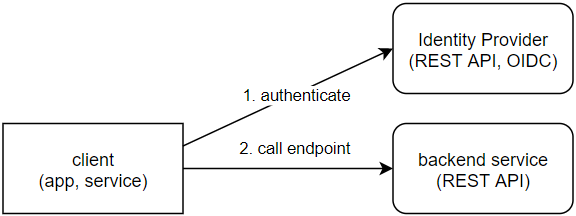
See more: OIDC/OAuth2 authentication
Examples
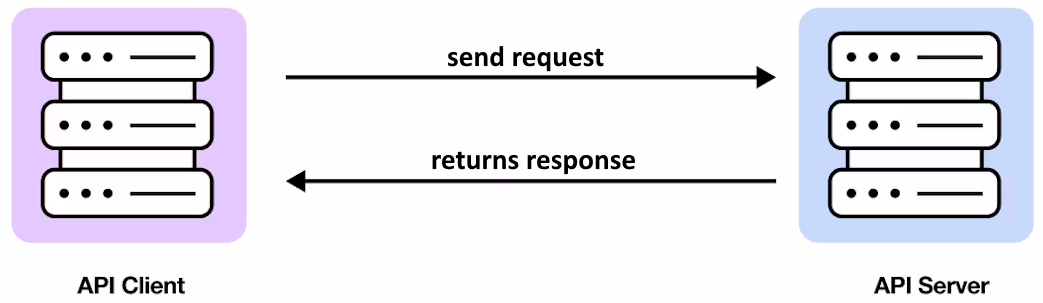
Simple GET Request
This retrieves information about the user with ID 123.
curl -X GET https://api.example.com/users \
  -H "Authorization: Bearer YOUR_API_TOKEN" \
  -H "Accept: application/json"
response (200):
{
  "id": 123,
  "name": "John Doe",
  "email": "john.doe@example.com",
  "created_at": "2026-01-20T10:30:00Z"
}
This response means the user was successfully retrieved from the server.
Sending Data with a POST Request
Imagine you want to send user data to a REST API endpoint.
curl -X POST https://api.example.com/users \
  -H "Content-Type: application/json" \
  -H "Authorization: Bearer YOUR_API_TOKEN" \
  -d '{
    "name": "John Doe",
    "email": "john.doe@example.com"
  }'
response (201):
{
  "id": 123,
  "name": "John Doe",
  "email": "john.doe@example.com",
  "created_at": "2026-01-20T10:30:00Z"
}
This response means the user was successfully created on the server.
More examples - how to use REST API
- Use HTTP client to call API endpoint you have chosen
See also: