Authentication and Authorization
Overview
Authentication is about validating your credentials like User Name/User ID and password to verify your identity. The system determines whether you are what you say you are using your credentials.
Authorization is the process to determine whether the authenticated user has access to the particular resources.
Detailed explanation: http://www.differencebetween.net/technology/difference-between-authentication-and-authorization/
Authorization
AVA Identity Manager deployment
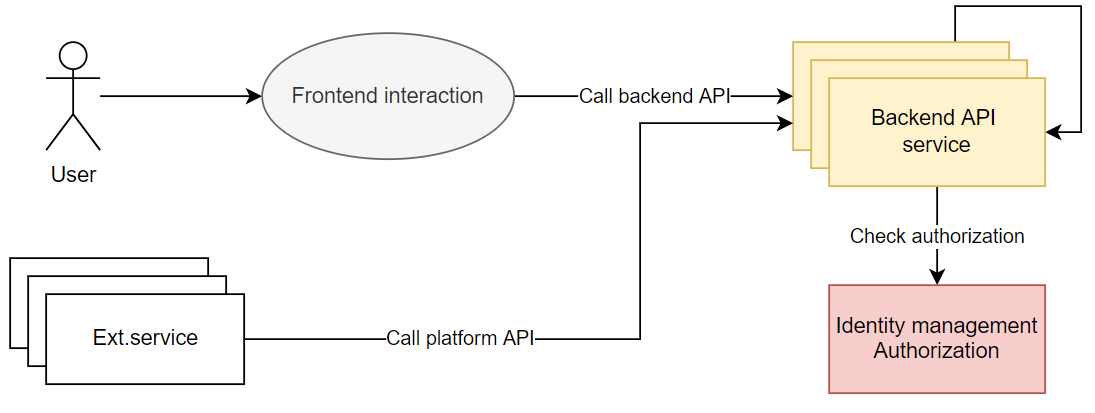
Authorization implemented via call Identity management service.
How to define built-in roles of your native AVA application
Platform built-in roles that are useful for native AVA applications:
TenantUser- The lowest role with minimum rights for example: login/logout.
Important - All of your application (built-in) roles must be inherited from
TenantUserrole.
Basic schema of inheritance for native AVA application roles. All application system roles (.User, .Admin, .Owner) and custom roles (for example, CustomRoleA, CustomRoleB, CustomRoleC) must be prefixed with ApplicationCode.
Example of real built-in definition for application roles (application code ASOLEU-MyApp-AP-):
{
  "applicationCode": "ASOLEU-MyApp-AP-",
  "featureCode": "ASOLEU-MyApp-AP-CodeBackendRoles",
  "roles": [
    {
      "Code": "ASOLEU-MyApp-AP-.User",
      "Parents": [
        "TenantUser"
      ],
      "name": {
        "values": [
          { "locale": "en-US", "value": "App User" },
          { "locale": "cs-CZ", "value": "App User" },
          { "locale": "sk-SK", "value": "App User" },
          { "locale": "de-DE", "value": "App User" }
        ]
      }
    },
    {
      "code": "ASOLEU-MyApp-AP-.Admin",
      "parents": [
        "ASOLEU-MyApp-AP-.User"
      ],
      "name": {
        "values": [
          { "locale": "en-US", "value": "App Admin" },
          { "locale": "cs-CZ", "value": "App Admin" },
          { "locale": "sk-SK", "value": "App Admin" },
          { "locale": "de-DE", "value": "App Admin" }
        ]
      }
    },
    {
      "code": "ASOLEU-MyApp-AP-.Owner",
      "parents": [
        "ASOLEU-MyApp-AP-.Admin"
      ],
      "name": {
        "values": [
          { "locale": "en-US", "value": "App Owner" },
          { "locale": "cs-CZ", "value": "App Owner" },
          { "locale": "sk-SK", "value": "App Owner" },
          { "locale": "de-DE", "value": "App Owner" }
        ]
      }
    },
    {
      "code": "ASOLEU-MyApp-AP-.CustomRoleA",
      "parents": [
        "ASOLEU-MyApp-AP-.User"
      ],
      "name": {
        "values": [
          {
            "locale": "en-US",
            "value": "App CustomRoleA"
          }
        ]
      }
    }
  ]
}
Backend authorization API
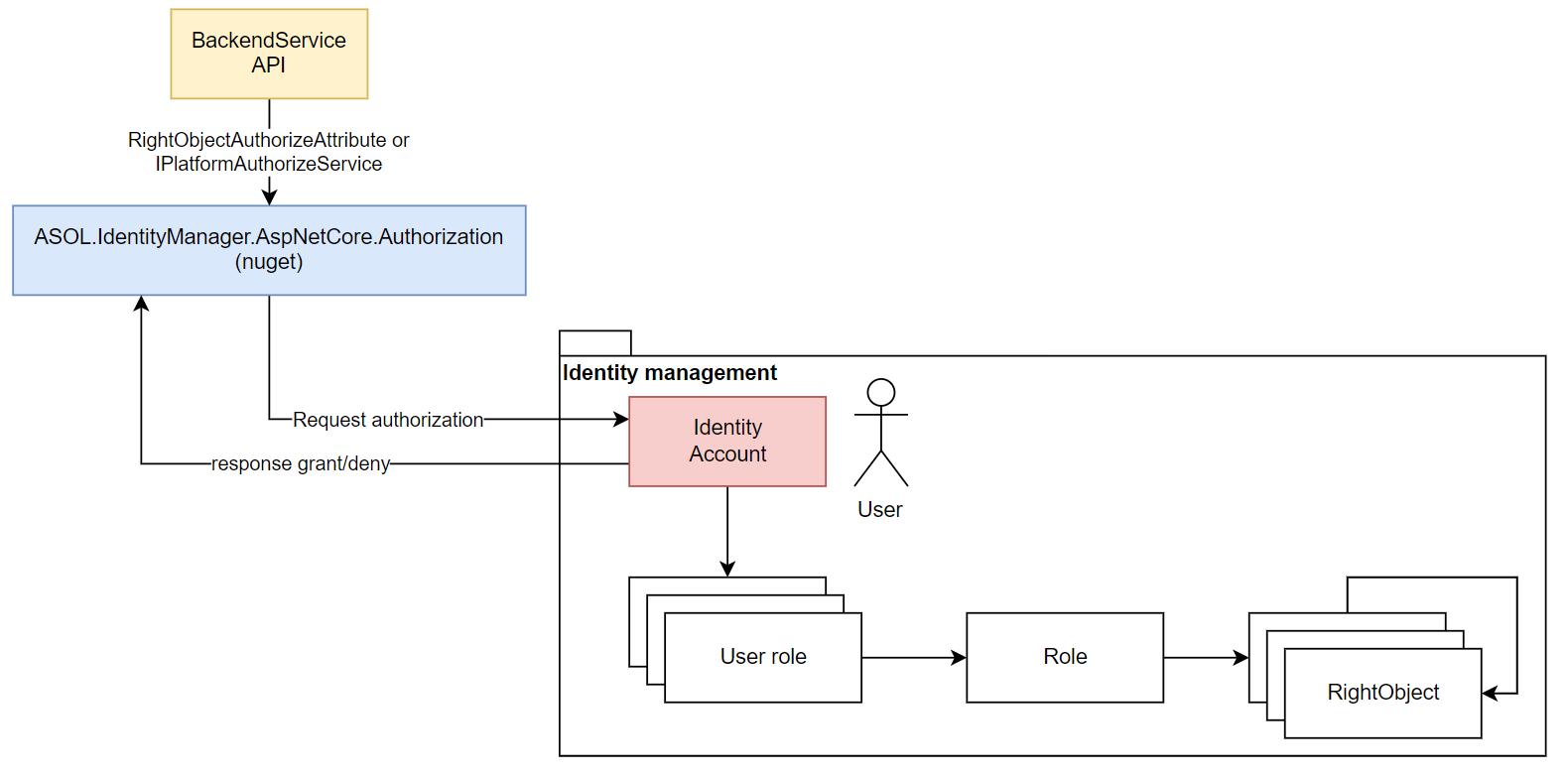
AVAplace native backend service automatically decorates all authorized endpoints with RightsObject check. RightsObject is Identity manager service entity to describe some piece of any application.
using ASOL.Core.Identity;
using ASOL.Core.Identity.Authorization;

public class MyClass
{
    public MyClass(IPlatformAuthorizationService authService)
    {
        AuthService = authService;
    }

    protected IPlatformAuthorizationService AuthService { get; }

    public async Task MyMethodAsync(ClaimsPrincipal currentUser)
    {
        await AuthService.AuthorizeAsync(User, new RightObjectAuthorizationRequirement
        {
            ApplicationCode = "ASOLEU-MyApp-AP-", // this is PartCode as ApplicationCode for MyApp application, it's a constant!
            RightObjectCode = "myteam",
            Permission = Permission.Read,
        }, ct);
        // The currently logged user or service does have the required permission on rights object.
        // Do a method or something else you need.
    }
}
Backend authorization Domain
Use IPlatformAuthorizationService on backend side to check authorization (Roles, RightsObject).
Standardize HTTP response for various scenario
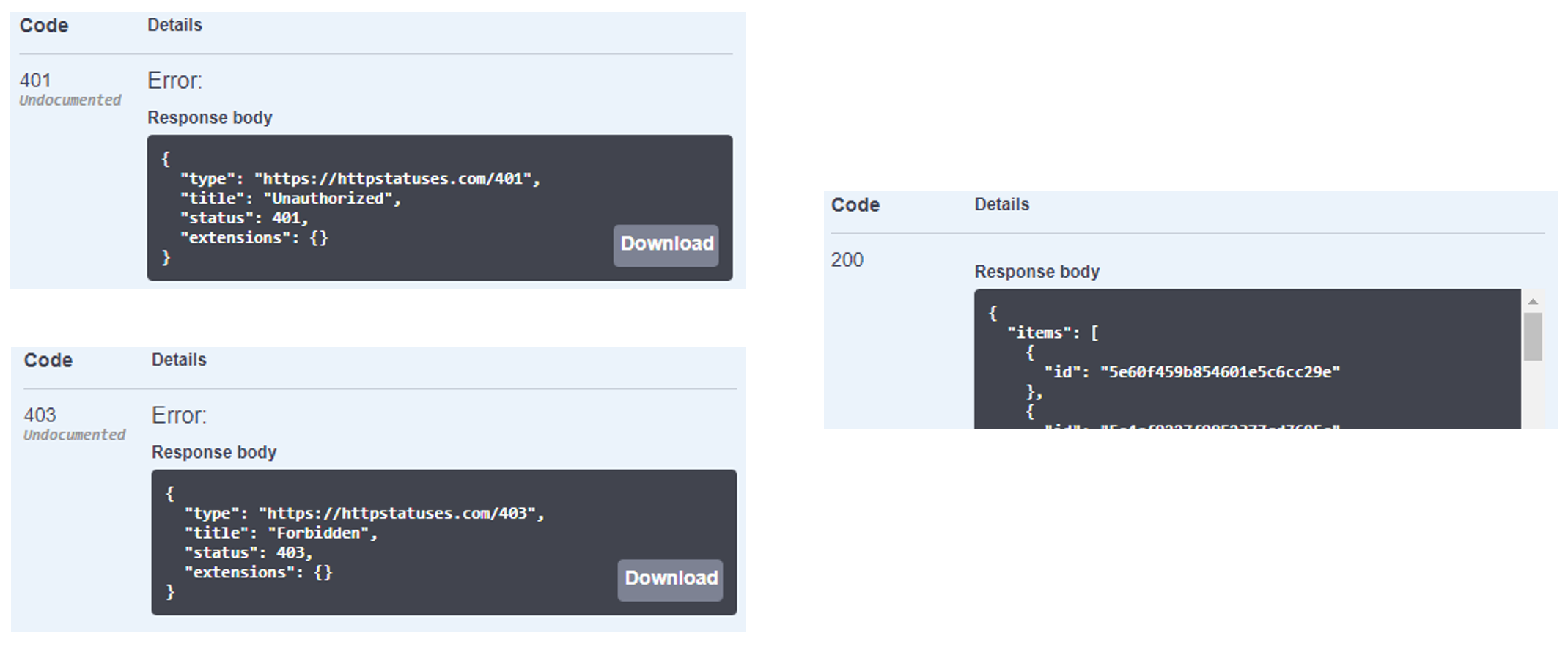
- HTTP 401 - Unauthorized - Missing authentication token or invalid/expired token.
- HTTP 403 - Forbidden - Authentication is ok, but the required permission to access the resource is missing.
OAuth2 Authentication: Client Types and Flows
In our system, we support two types of OAuth2 clients/flows:
OAuth2 Flows
Password Flow (OAuth2 - Grant Type: Password)
-
Description: This flow is used for authenticating users when the application directly obtains an access token based on the user’s username and password.
-
Authentication Process:
- The application sends a request to obtain the access token using the user’s login credentials.
- The request includes:
client_id(for user authentication) - example: "plaza-pass"client_secret(mandatory part of the request; for the publicplaza-passclient used here it is sent as an empty string — see Swagger UI below)username(the user’s login name, full email address for AVAplace)password(the user’s login password)grant_type=password(specifying that Password Flow is being used)
- Upon successful authentication, the system returns an access token (bearer token) that the application can use for subsequent API requests.
-
Example Request to Obtain the Token:
POST /api/asol/idp/connect/token HTTP/1.1
Host: [Your API Host]
Content-Type: application/x-www-form-urlencoded

grant_type=password&client_id=[YourClientId]&client_secret=[YourClientSecret]&username=your_username&password=your_password
Client Credentials Flow (OAuth2 - Grant Type: Client Credentials)
-
Description: This flow is used for server-to-server communication where the application does not require user credentials, but instead authenticates using the client_id and client_secret.
-
Authentication Process:
- The application sends a request to obtain the access token for API access.
- The request includes:
client_id(for service authentication) - example: "plaza-services"client_secret(for authenticating the application)grant_type=client_credentials(specifying that Client Credentials Flow is being used)
- Upon successful authentication, the system returns an access token for the application to use in subsequent API requests.
-
Example Request to Obtain the Token:
POST /api/asol/idp/connect/token HTTP/1.1
Host: [Your API Host]
Content-Type: application/x-www-form-urlencoded

grant_type=client_credentials&client_id=[YourServiceClientId]&client_secret=[YourServiceClientSecret]
Security Considerations
-
Client Secret: It’s important to never store the client_secret in an unprotected form, especially in environments where access to the application is public (e.g., in frontend applications). The client_secret should be securely stored on the server side.
-
Scope: Always ensure that the scope is defined correctly, as it determines the level of access the application is requesting. Scopes are used to limit access to the minimum necessary resources.
How to use
Swagger UI
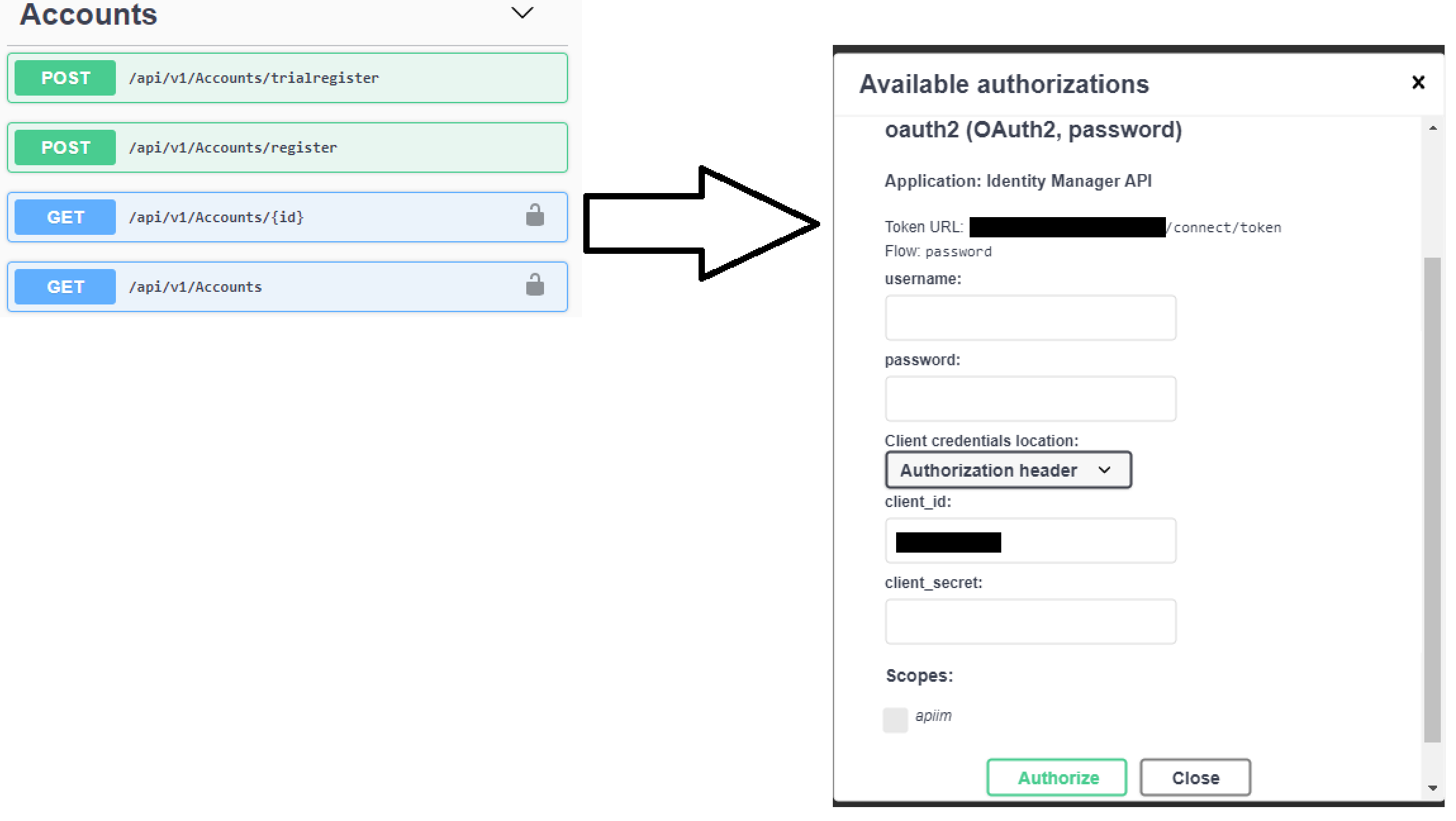
Swagger UI on the native AVA service automatically configures User/Password authentication for all Authorized endpoints.
- The username and password should be the user login for AVAplace (the full email address).
- The client_secret field should be submitted as an empty string (leave the field blank in Swagger UI) — this satisfies the mandatory
client_secretparameter for the publicplaza-passclient; it is not the same as omitting the parameter. - The client_id will be automatically filled in.
Postman
When working with Postman collections in this repository: https://git.avaplace.com/avaspace-support/postman/AvaServiceCollectionBase, the following environment variables are relevant for authentication:
-
UserClientId:
The client_id used for authenticating individual users via the Password Flow (username and password). -
UserAccessToken:
The access token for the user that is obtained after the user has authenticated via the Password Flow. This token is used for making authorized API requests on behalf of the user. -
ServiceClientId:
The client_id used for authenticating server-to-server communication via the Client Credentials Flow. -
ServiceClientSecret:
The client_secret associated with ServiceClientId, used for authenticating the application in the Client Credentials Flow. -
ServiceAccessToken:
The access token for the service obtained via the Client Credentials Flow. This token is used for making authorized API requests for the service.
Important Note:
It is intentional that there is no variable like UserClientSecret in this setup. Since Password Flow is used for user authentication, it relies on the user's username and password to obtain the access token, rather than a separate client_secret for the user. The application authentication for user requests is handled via the client_id and client_secret for the service (not for individual users).