OnPremise agent registration - overview
On-premise agent of external application (e.g. ERP IS) is installed in the customer's site.
On-premise agent of external application (e.g. ERP IS) is registered on AVA platform per customer's tenant.
This article provides general information how to register any on-premise agent on AVA platform.
The detailed instructions for installation of specific on-premise agent is in the official documentation of your external application (e.g. ERP IS).
Registration using Connector Catalogue frontend application
Prerequisites:
- valid license for Connector Catalogue application
- Admin app role
ASOLEU-CONCATAPP-AP-.AdminorTenantAdminplatform role
Register and configure connector
Use Connector Management application to register and configure connector. Connector represents the business level configuration. Each connector can have the single registration per tenant.
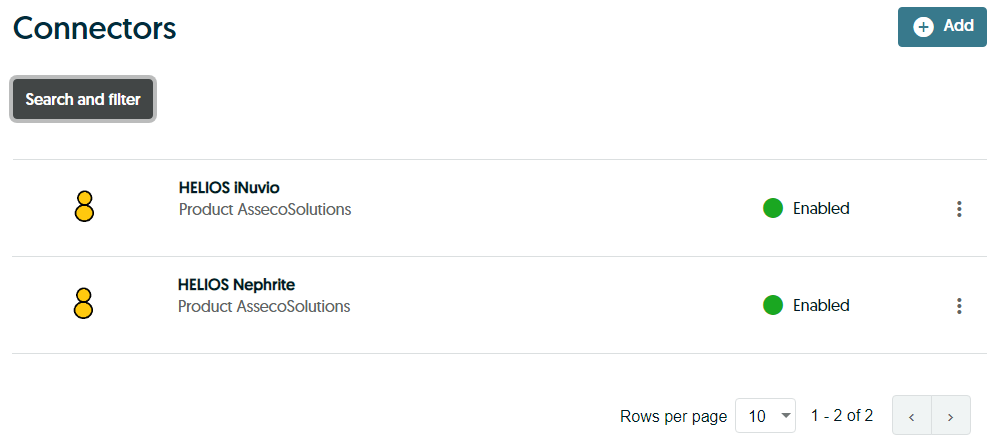
Add new connector if a requested connector doesn't exist yet
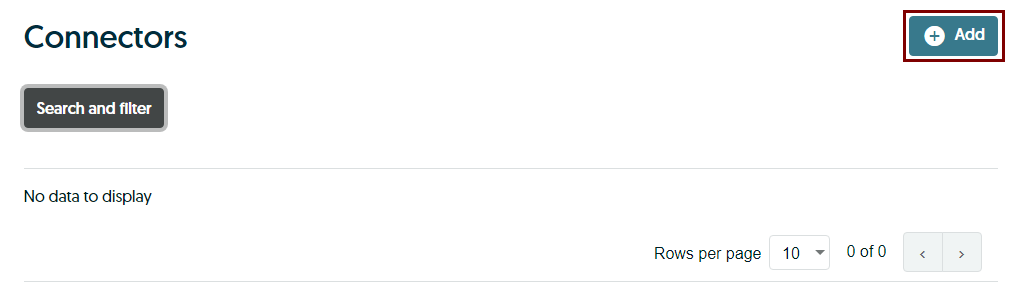
Pick the requested connector and configure with Configure button
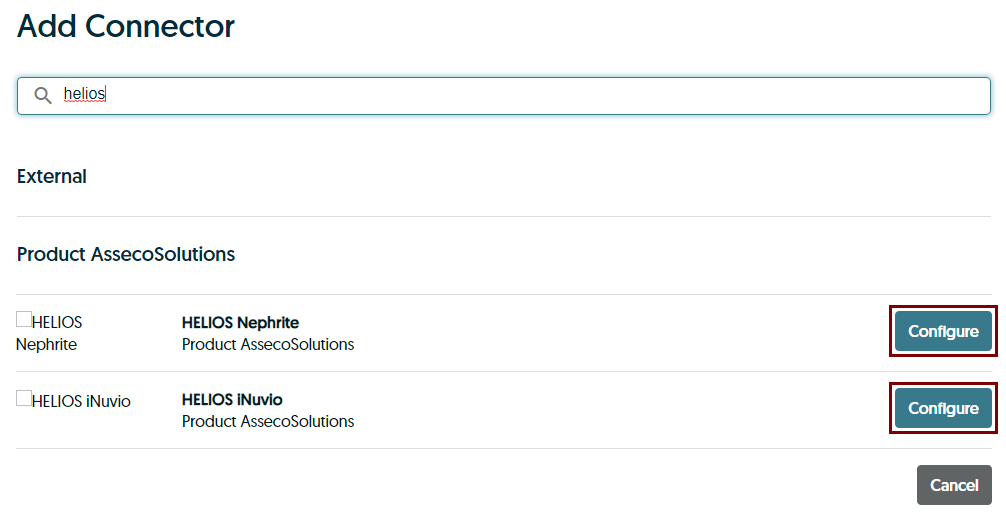
Object to transfer aren't defined, so continue with Next button
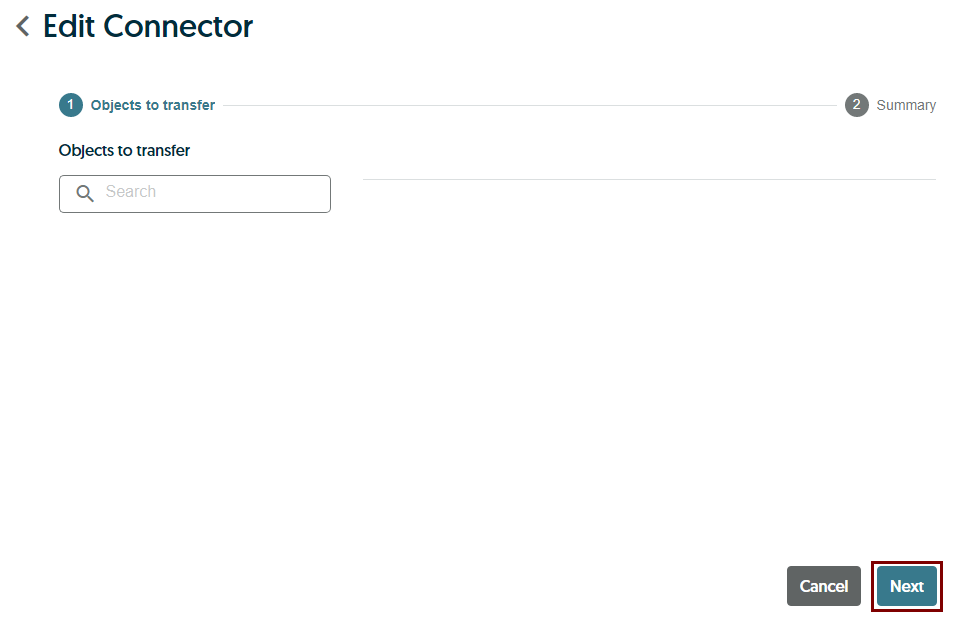
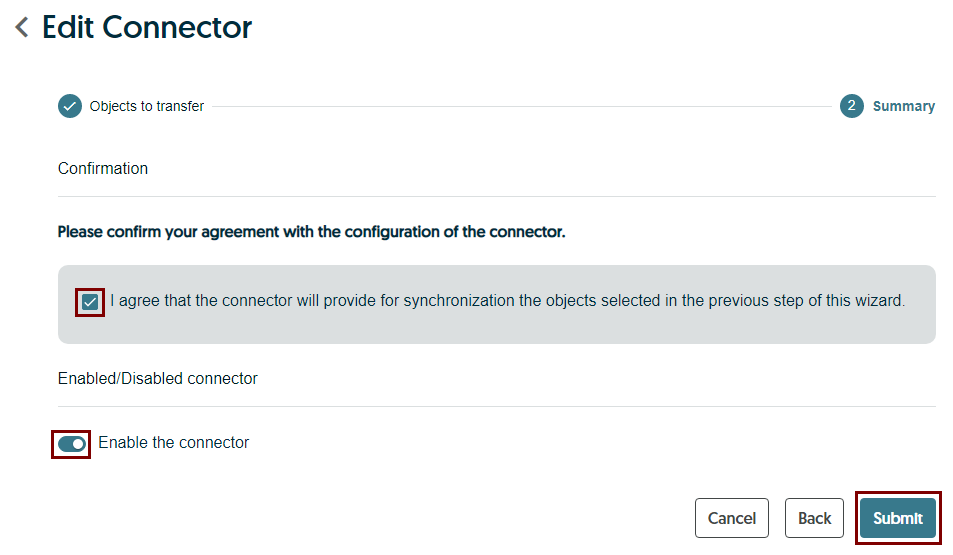
Enable connector and submit configuration with Submit button
Register and configure on-premise agent
Use Connector Management application to register and configure on-premise agents. Agent represents the technical level configuration. Each agent is associated to the specific connector and can have the multiple registrations per tenant. Each agent typically represents a specific on-premise installation of external application (e.g. ERP IS).
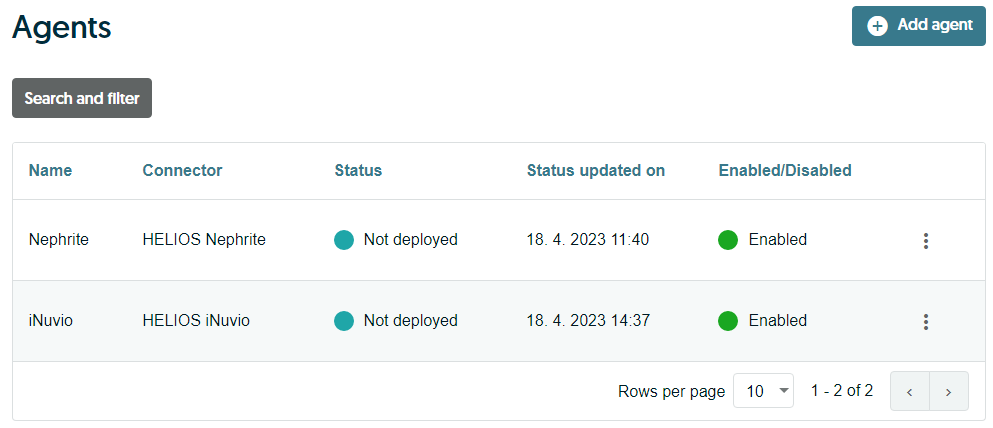
Add new agent if a requested agent doesn't exist yet
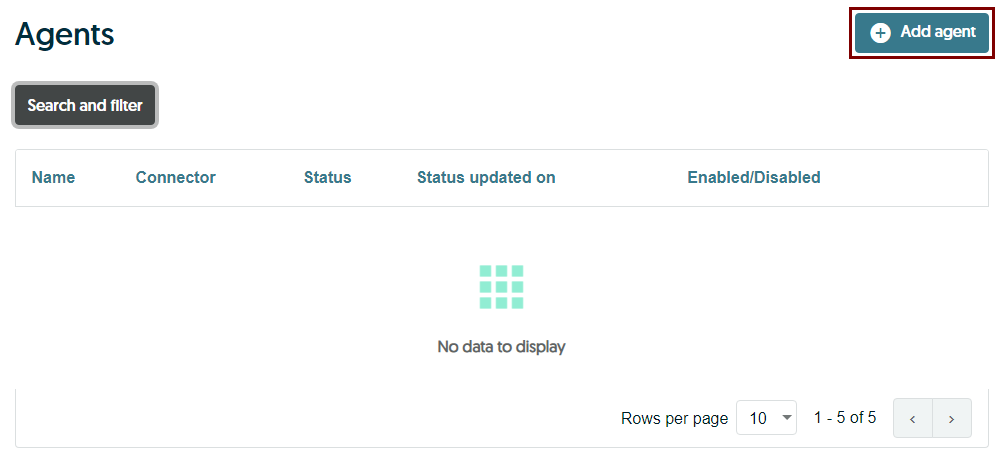
Fill the short name to describe agent, assign to the requested connector, enable agent and continue with Create button
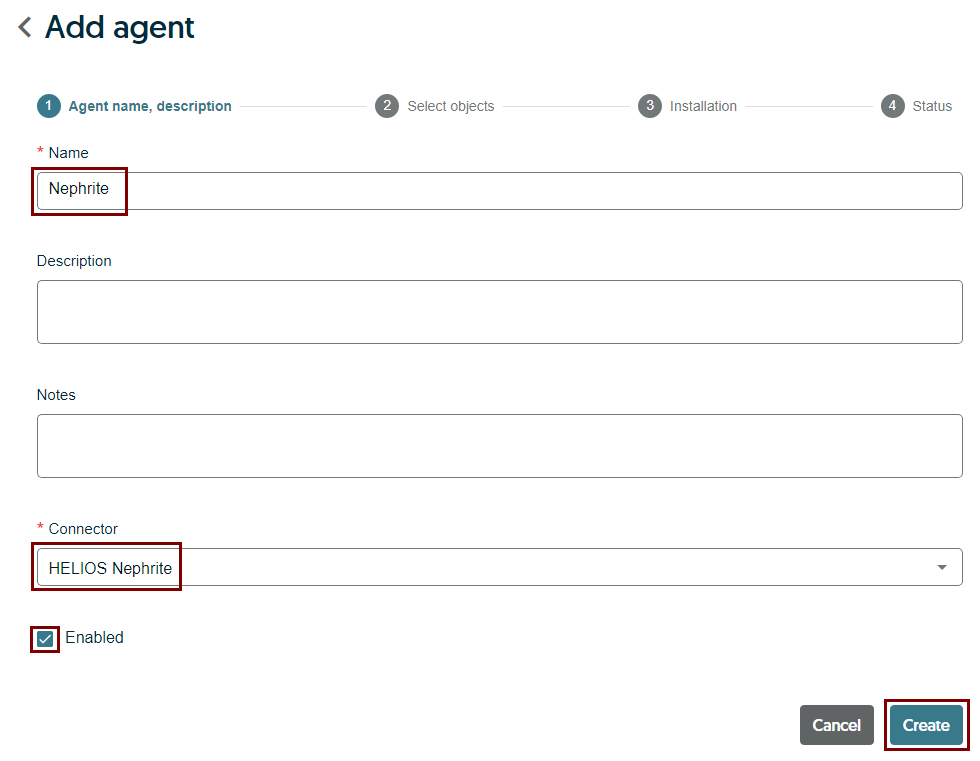
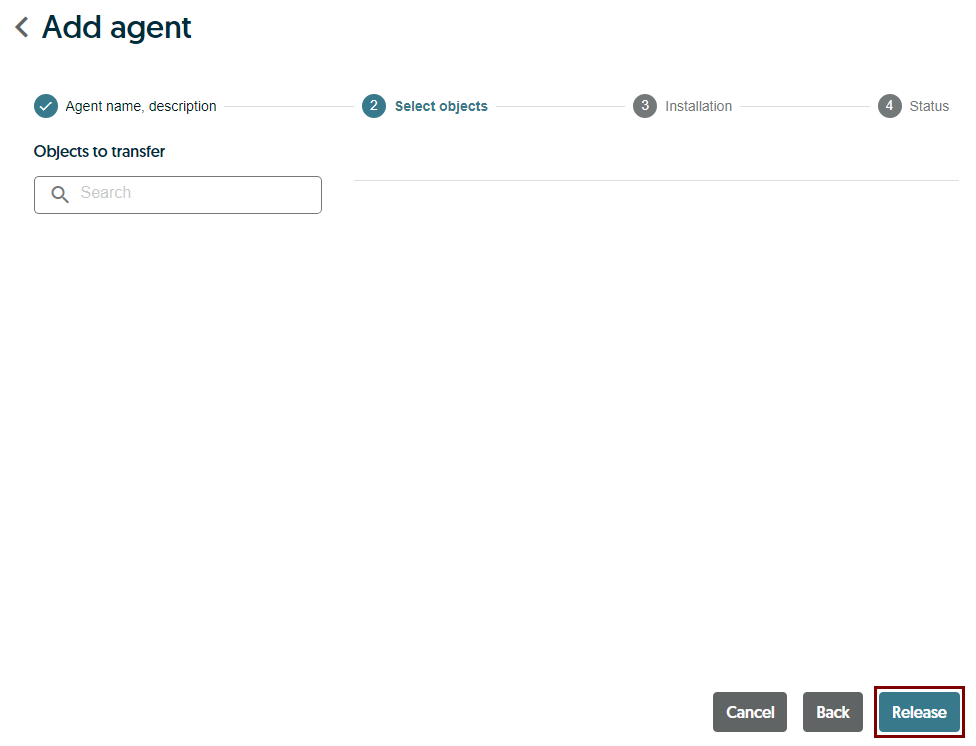
Object to transfer aren't defined, so continue with Release button
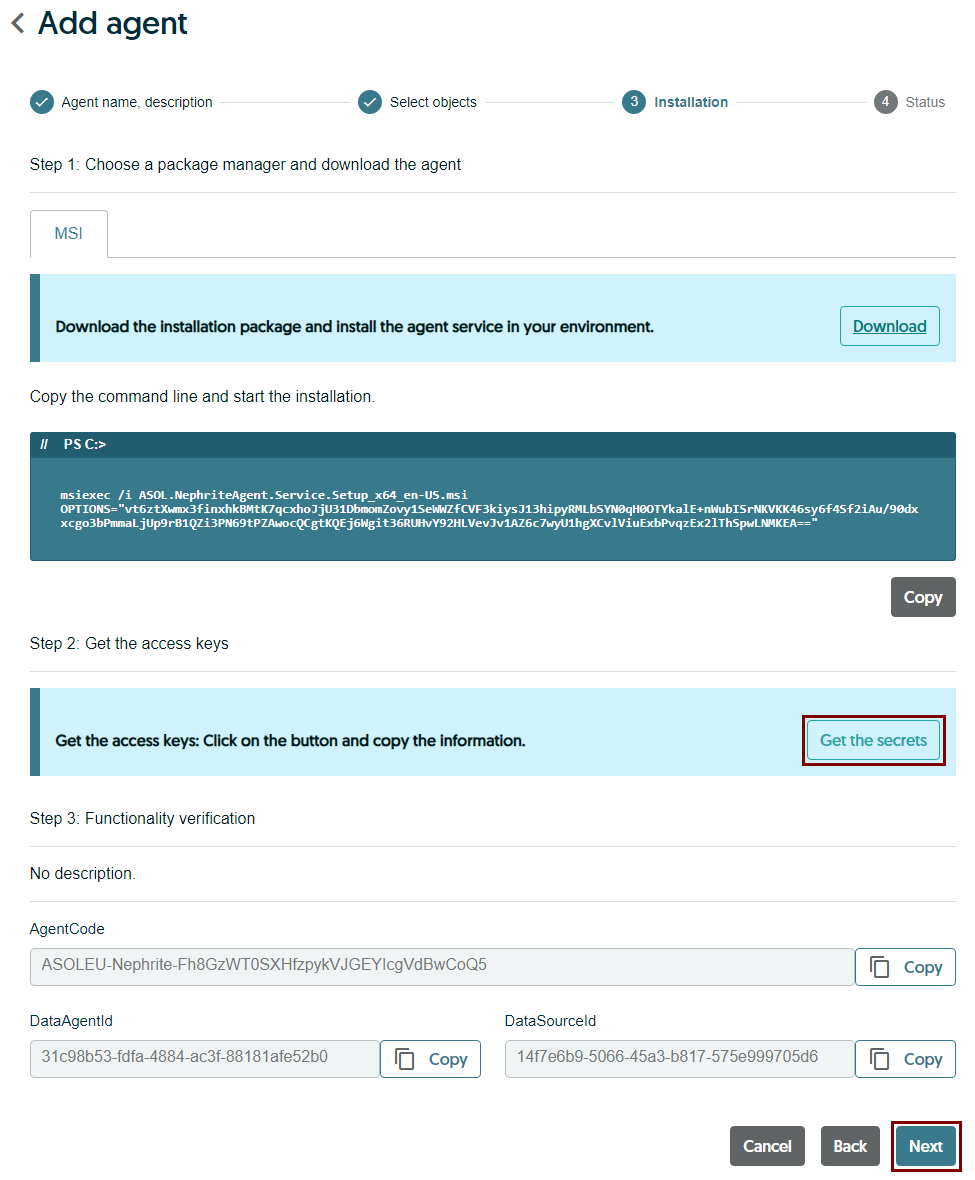
Use registration parameters to configure installation program of on-premise agent
Generate or reset secrets to configure credentials of on-premise agent
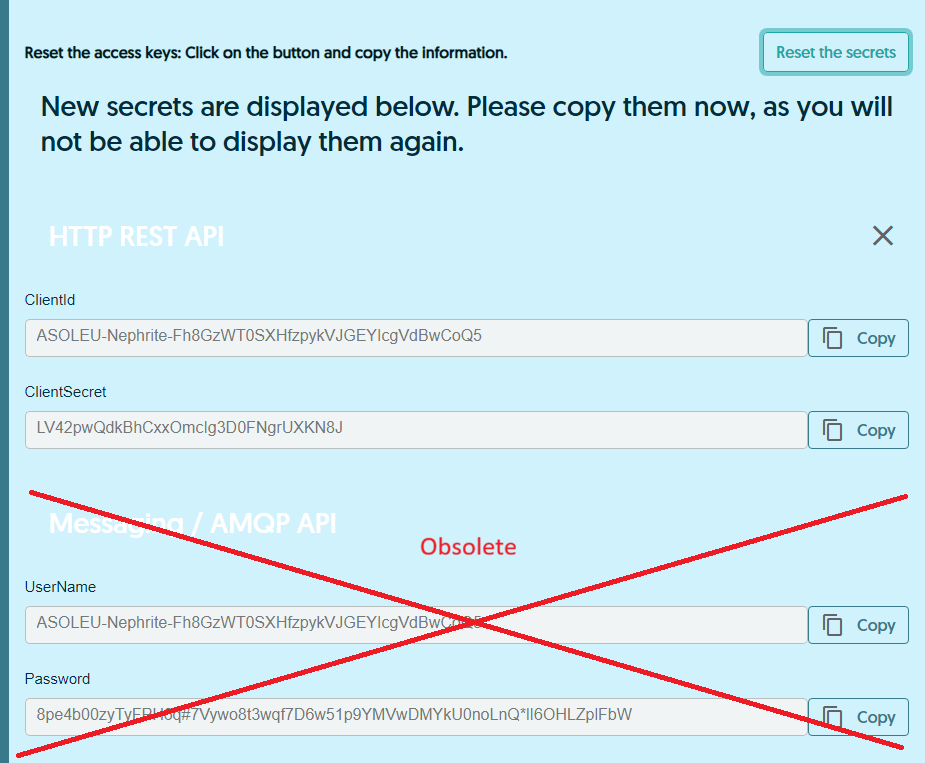 Important: Reset secrets invalidates the existing secrets and generates new ones.
It breaks any established communication between already installed agent and AVAspace.
So, be careful.
Important: Reset secrets invalidates the existing secrets and generates new ones.
It breaks any established communication between already installed agent and AVAspace.
So, be careful.
Configure tenant and mandant organizations of on-premise agent
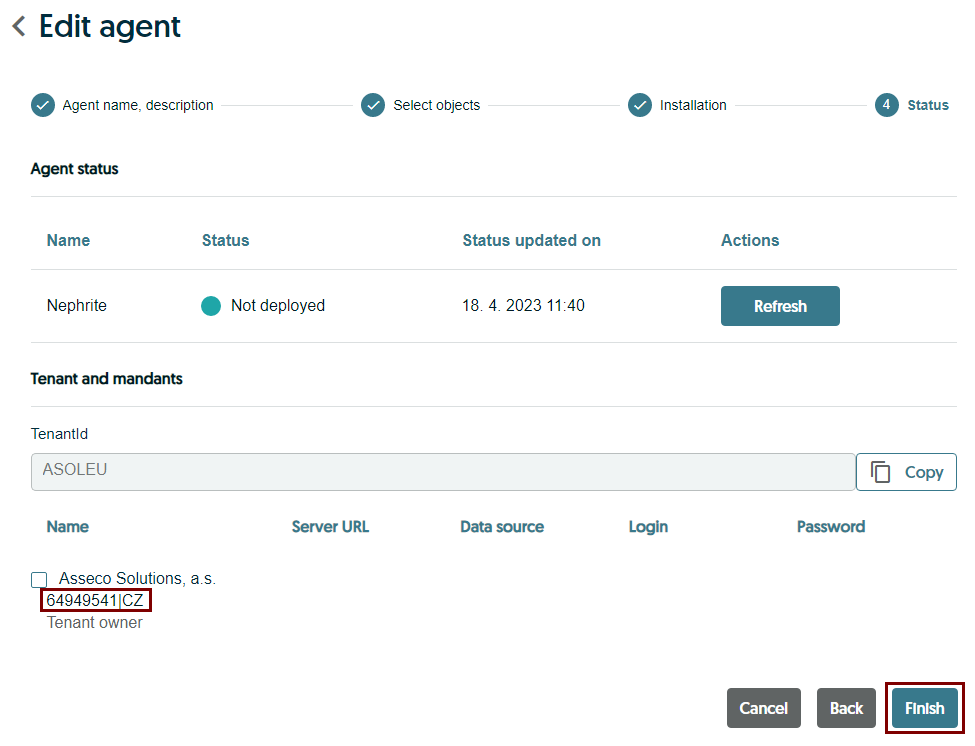
Use Refresh button to check agent status (if supported by agent) when installation process is completed
Registration using Connector Catalogue backend service
Prerequisites:
- Admin app role
ASOLEU-CONCATAPP-AP-.AdminorTenantAdminplatform role
Connector Catalogue - app url: <platform base url>/api/asol/cc/
Identity Provider - app url: <platform base url>/api/asol/idp/
Verify tenant and mandant organizations when user account is used
Important: User account is using selected tenant during authetication process, you have to ensure that security token is using the tenant context as expected to register on-premise agent in the right tenant context
GET /api/v1/UserTenants
Returns a list of tenants. The IsSelected flag identifies the selected (current) tenant. The current tenant also contains an Organizations list representing mandants.
- example:
<platform base url>/api/asol/idp/api/v1/UserTenants
Check if requested connector exists and register a new one when not
Get provider identifier and metadata using product code
Note: provider metadata are shared across all tenants
GET /api/v1/Providers/ByCode/{code}
Returns the provider metadata for the specified external application (e.g. ERP IS).
- examples:
<platform base url>/api/asol/cc/api/v1/Providers/ByCode/ASOLEU-GREENFTR-FE-<platform base url>/api/asol/cc/api/v1/Providers/ByCode/ASOLEU-ORANGEFTR-FE-
Get connectors assigned to given provider
Note: Optionally you can include also not released or deleted connectors to get the complete info.
GET /api/v1/Connectors
Returns connectors assigned to the specified provider.
- examples:
.../api/asol/cc/api/v1/Connectors?ProviderId=7f234055-523c-46a4-a59d-d20c45bfb7b4.../api/asol/cc/api/v1/Connectors?ProviderId=208f3400-398b-439c-bd07-6ee8b7b8a06e&IncludeUnreleased=true&IncludeDeleted=true
Create connector assigned to given provider and release
POST /api/v1/Connectors
Creates and returns a connector in an unreleased state.
{
  "providerId": "208f3400-398b-439c-bd07-6ee8b7b8a06e",
  "enabled": true
}
POST /api/v1/Connectors/{id}/Release
Releases the specified connector or does nothing if it has already been released.
Check if requested agent exists and register a new one when not
Note: Optionally you can include also not released or deleted agents to get the complete info.
Get agents assigned to given connector
GET /api/v1/Agents
Returns agents assigned to the specified connector.
- example:
<platform base url>/api/asol/cc/api/v1/Agents?ConnectorId=05b69c72-7f15-4963-aeda-d265ba77daed
Get agent using agent code
GET /api/v1/Agents
Returns the agent matching the specified agent code.
- example:
<platform base url>/api/asol/cc/api/v1/Agents?AgentCode=ASOLEU-DEV-fd9ad6b9-2f29-4c7a-9a3a-c7469e19b1ff-test-gc9FX2v3Le9yDyNODCjpipHPbMOJOaxU
Create agent assigned to given connector and release
POST /api/v1/Agents
Creates and returns an agent in an unreleased state.
{
  "connectorId": "05b69c72-7f15-4963-aeda-d265ba77daed",
  "name": "test",
  "enabled": true
}
POST /api/v1/Agents/{id}/Release
Releases the specified agent or does nothing if it has already been released.
Generate or reset secrets
Important: Reset secrets invalidates the existing secrets and generates new ones. It breaks any established communication between already installed agent and AVAspace. So, be careful.
POST /api/v1/Agents/{id}/ResetSecrets
Generates and returns new secrets for the specified agent.
Get agent details with registration parameters
GET /api/v1/Agents/{id}
Returns the details of the specified agent, including its registration parameters.
Update of agent custom code
A new property CustomCode has been added to the Agent entity, which represents user friendly unique identification
of an on-premise application instance.
It is used for simple identification of an on-premise application instance in the Connector Catalogue and is further propagated into Data service.
This can be achieved by using the PATCH method on the agent endpoint.
PATCH /api/v1/Agents/{id}
Updates the specified agent using the provided JSON Patch document.
[
  { "op": "replace", "path": "/customCode", "value": "UniqueHeliosCustomCode" }
]
This endpoint patches the Agent via JSON Patch document (RFC 6902).
It also allows update other allowed properties of an agent without need to send a whole agent object.
Parameters
| Name | Location | Type | Description |
|---|---|---|---|
id | route | string (GUID) | ID of an agent |
patchModel | body | JsonPatchDocument<AgentPatchModel> | JSON Patch list of operations |
JSON Patch – overview
Every operation has a following keys:
| Key | Description |
|---|---|
op | Operation: add, remove, replace |
path | Path to the property: /email, /address/street |
value | New value (not required with remove) |
Supported operations
op | Meaning | Example |
|---|---|---|
add | Adds an item or property to the collection | { "op": "add", "path": "/tags/-", "value": "new" } |
remove | Removes item or property based on index | { "op": "remove", "path": "/tags/2" } |
replace | Replaces an existing value | { "op": "replace", "path": "/status", "value": "Inactive" } |
⚠️ When using
replace, the property and its value must exist otherwise it will fail.