Application's deployment to AVAplace
Start of building the application
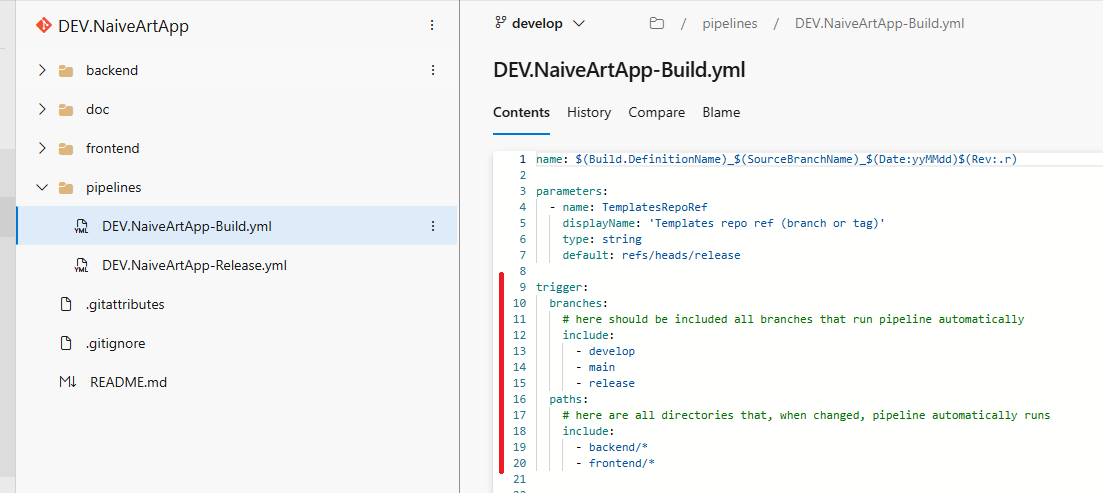
Due to defined triggers inside build pipeline, with every change in specified branches and paths build pipeline runs.
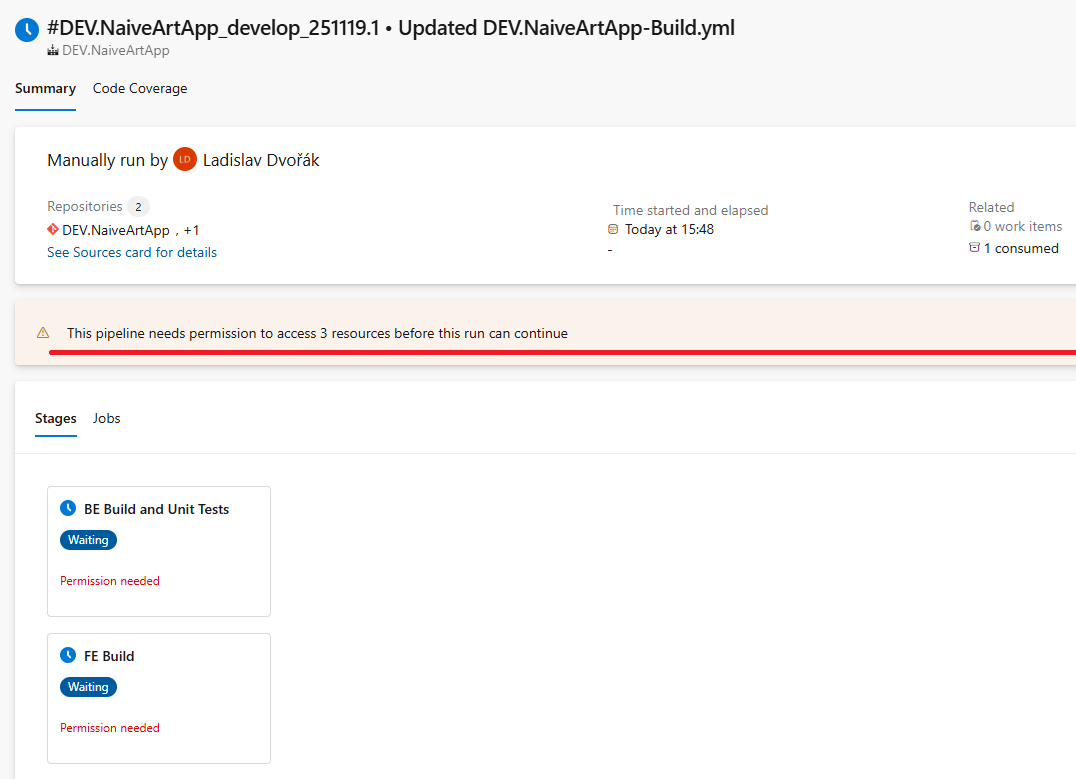
Permission of first run
If this message appears, click the View button at the end of the displayed message to permit the first access to the build pipeline.
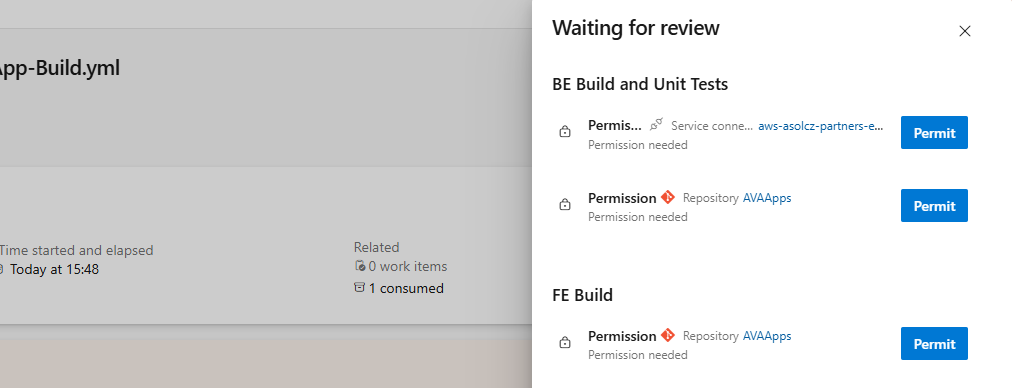
Afterwards, click on all occurrences of the Permit button. This will allows pipeline use every needed resource.
Following these permits, pipeline runs.
Status of run
- When the pipeline finishes successfully, pipeline is marked in green (second pipeline in the picture).
- When any of the steps does not finish successfully, pipeline is marked in red (as shown in the first row of the picture).
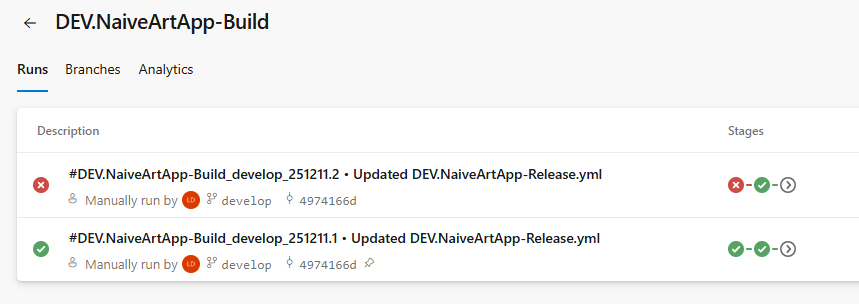
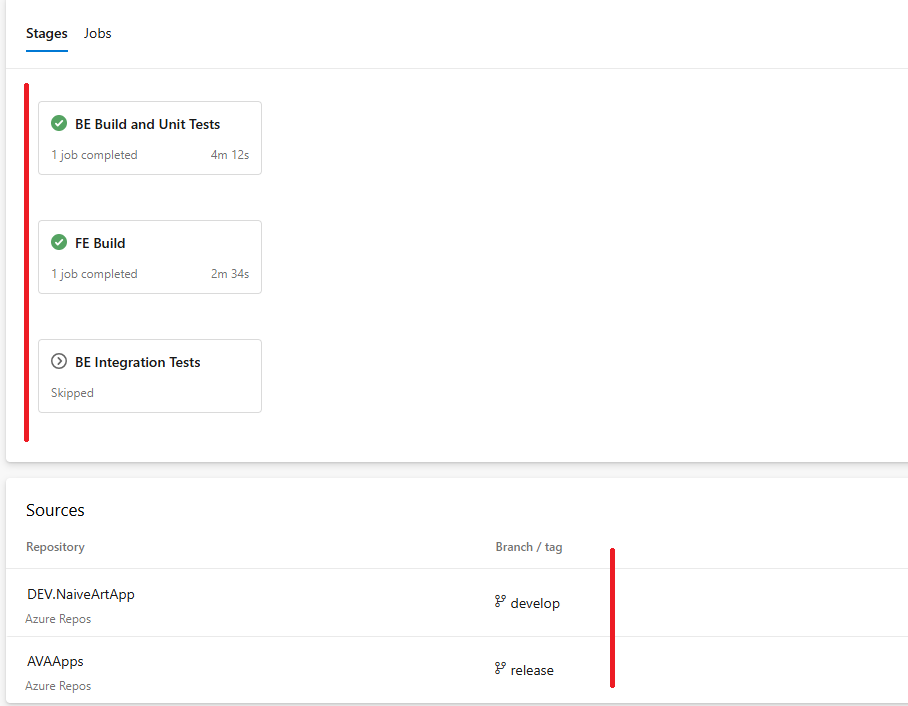
To get more detailed information about specific run, click on the name of the run (that's what starts with #DEV... in the picture.).
Inside you can find out:
- detailed information about the status of individual steps (click on specific step shows log of this step)
- also branches used for build (bottom of the picture)
Deployment of the application
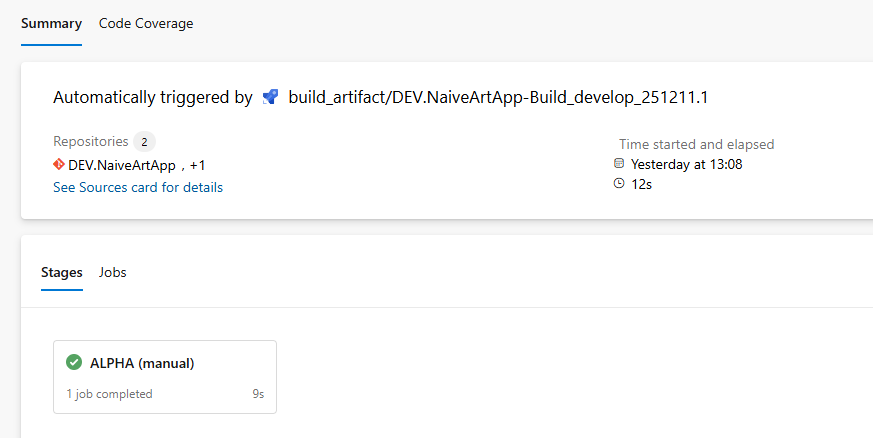
After the build pipeline successfully finishes, release pipeline runs automatically.
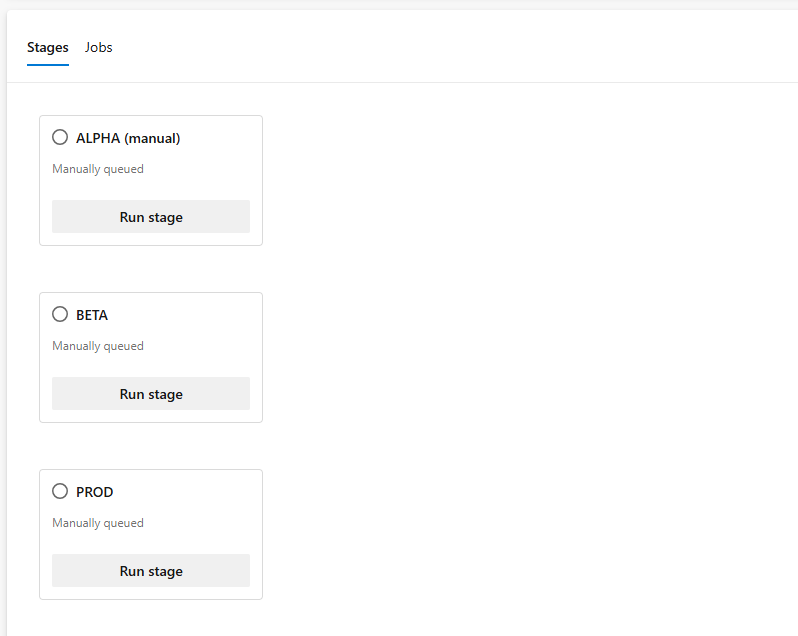
Release pipeline is used for deployment of the applicattion on individual stages.
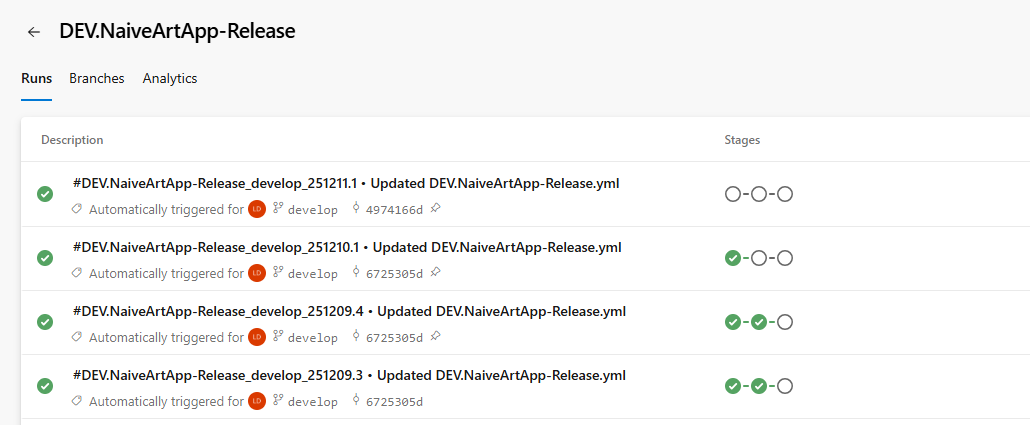
Every run of release pipeline, contains inside list of the stages where application can be deployed. There you select stage for deploy.
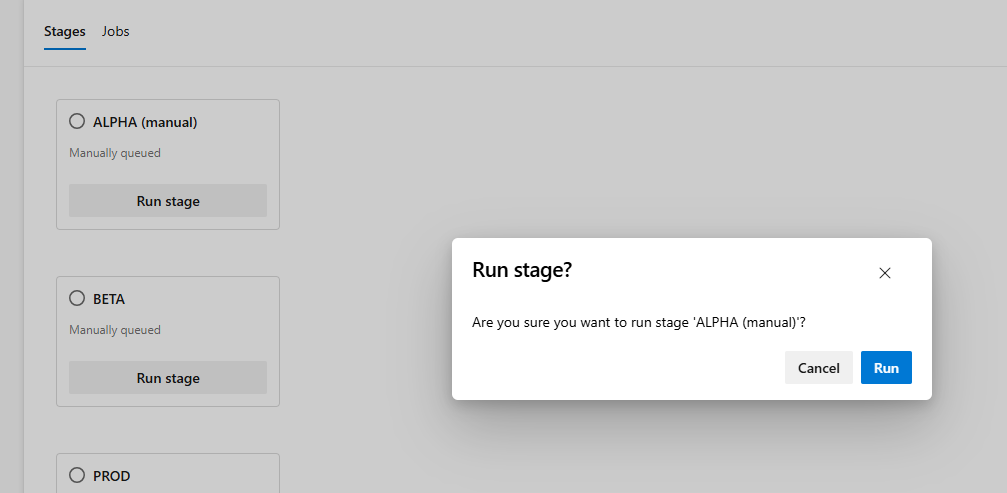
After click on Run stage and subsequent confirmation, application starts deployment to specific stage.
- If everything went smoothly on the partner's side, status of the stage, is in green.
- If not, status is in red and clicking on a specific environment, you can obtain more details about the error.
Check result of the application deployment
Result pipelines are trigger after deployment into AVA cloud and their color shows status of specific deployment (green is successful and red is failed).
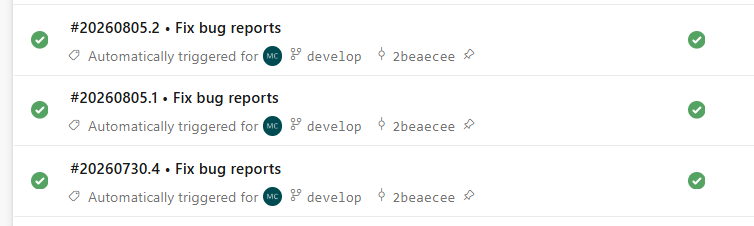
There is always one run for frontend and another run for backend. For more detailed information about the deployment, you need to go inside the pipeline. And there click on the Release result field.

And in the Show release status you will see all needed information about deployment.
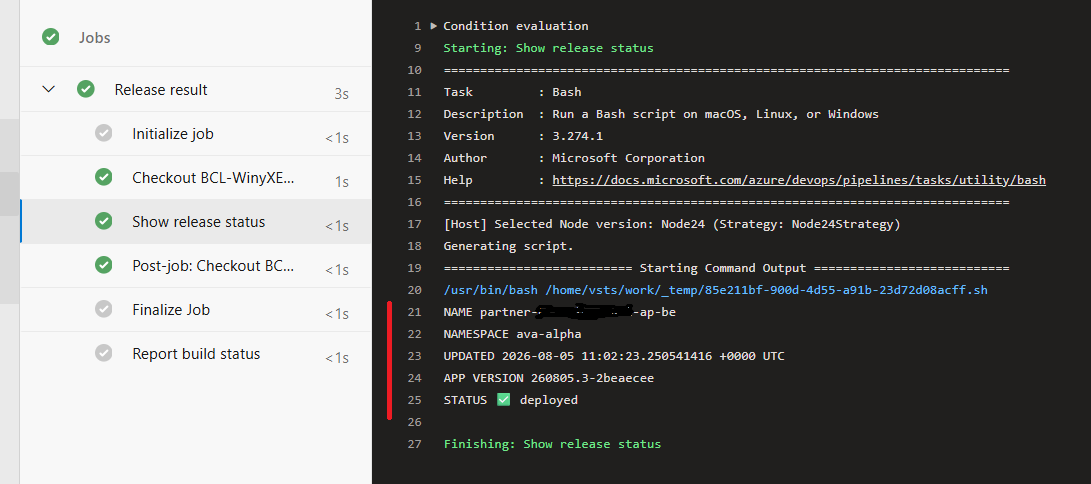
NAME suffix indicates if BE or FE was deployed
NAMESPACE determines stage where it was deployed
STATUS shows surprisingly status :)